Long documents require more than good design



Long documents require more than good design. They require a clear structure, a strong hierarchy, consistent systems, and a reading experience that helps people navigate complex content.
After nearly four decades of designing annual reports, research publications, environmental reports, strategic plans, policy manuals, employee handbooks, training guides, government reports, and other long-form documents, we have learned that successful publications rarely begin with page layouts. They begin with understanding the content and how readers need to use it.
Every year, we help organizations transform complex manuscripts into professional publications that are easier to read, navigate, and maintain.
Graphic design is not simply about making pages attractive. In long documents, the goal is to help readers move through information naturally, recognize relationships, find what they need, and understand complex material more easily.
That requires more than applying fonts, colours, and imagery to a manuscript. It requires a planned publication system that supports the content from beginning to end and keeps the document coherent throughout.
Start with the structure
Long documents are rarely read straight through from beginning to end. Readers scan headings, move between chapters, search for specific information, refer to appendices, and return to important sections later. When we begin a long-form document project, one of the first things we evaluate is the structure of the manuscript. We look at how chapters and sections are organized, whether related information is grouped together, and whether the hierarchy provides a logical path through the document.
Crucially, a clean, logical structure is also the foundation of document accessibility. When headings and sections are organized correctly from the start, it forms a seamless framework for assistive technologies and future PDF/UA compliance.
The structure of a long document is not always fully resolved by the time it reaches the design stage. Clients do not need to have every detail finalized before involving us. Reviewing the manuscript, identifying recurring content types, and recommending ways to clarify the hierarchy can all be part of the design process.
Establish a clear heading hierarchy
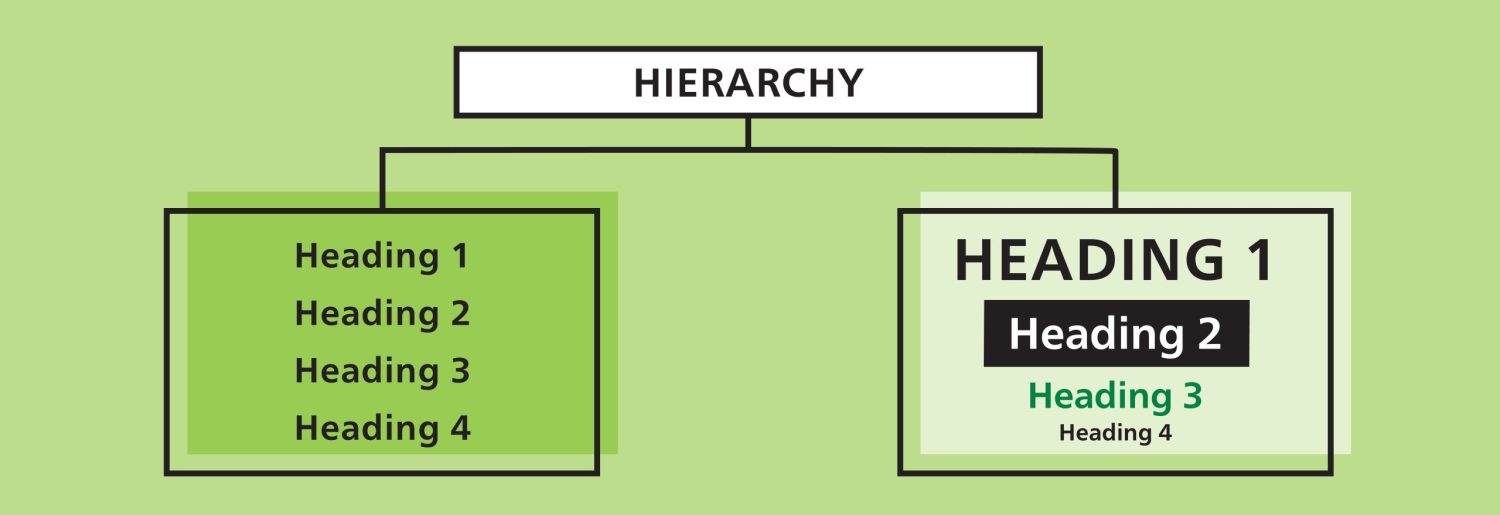
Headings are more than titles. They provide the framework that holds a long document together.
A consistent heading hierarchy shows the relationship between chapters, sections, subsections, and supporting information. It helps sighted readers scan the page and allows readers using assistive technologies to move through the document more efficiently.
In most publications, a limited number of clearly defined heading levels is more effective than a deeply layered structure. If a document requires numerous levels of nested headings, it may indicate that the information needs to be reorganized or simplified.
As part of the design process, we establish a visual treatment for each heading level and apply it consistently throughout the publication. This gives readers dependable signals about where they are and how the information is connected.
Design for readability
Design can make content more approachable, but it cannot resolve every issue within the writing itself.
Large blocks of text, lengthy sentences, inconsistent terminology, and unnecessary jargon can make even a well-designed publication difficult to use. These issues have become increasingly important as more long documents are read on screen and prepared to meet accessibility requirements.
We do not typically alter approved content, but we may flag areas that could affect readability, layout, navigation, or accessibility. Lists can make information easier to scan when the content naturally belongs together. As an example, bullets should not be used for appearance, because properly structured lists are important for both readability and accessibility.
Identify recurring content and information that needs emphasis
Not every piece of information carries the same weight. Long documents often contain recurring content such as key findings, recommendations, definitions, case studies, warnings, quotations, statistics, summaries, or practical tips.
As part of the design process, we identify these content types and determine the most appropriate way to present them. Depending on the material, this may include callout boxes, sidebars, infographics, icons, charts, or other visual cues that make complex information easier to recognize and understand.
These elements should reinforce the content rather than interrupt it. When the same type of information appears throughout the document, presenting it consistently helps readers recognize patterns and navigate the publication with greater confidence.
Long documents require a system’s approach
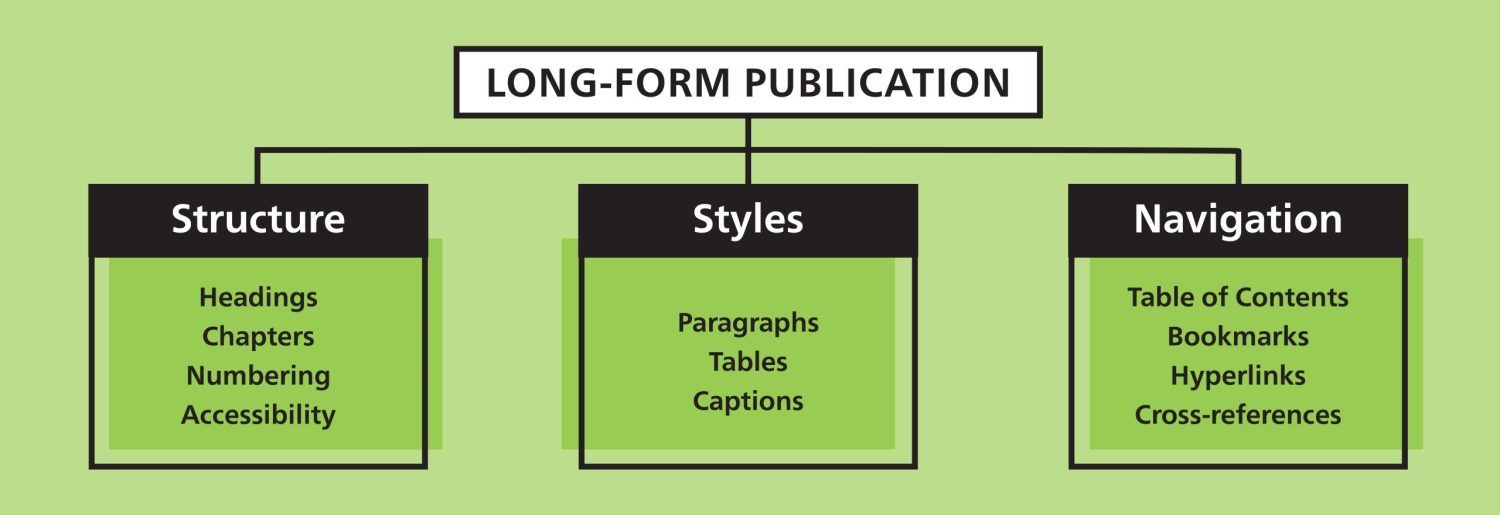
Designing a long-form publication is not simply about laying out pages. Behind every successful report is a system that keeps hundreds of elements working together consistently. Heading styles generate tables of contents, cross-references remain accurate as pages move, captions stay connected to images, and numbering updates automatically. These systems save time, reduce errors, and make future editions easier to maintain.
Depending on the publication’s length and complexity, we may build it using separate chapter files, master pages, page grids, automated numbering, linked content, and a complete set of paragraph, character, table, and object styles. These tools control recurring elements such as headings, body text, tables, charts, captions, footnotes, running headers, page numbers, chapter openers, and source information.
Images and captions may need to be anchored within the text so they remain connected to the correct content as the document changes and when it is prepared for accessibility. Much of this work is invisible to the reader, but it is essential to maintaining consistency, supporting efficient production, and keeping a complex publication accurate and manageable.
Plan for future updates and new editions
Some long documents are produced once. Others are updated annually, revised regularly, translated, or developed as part of a larger series.
Early in the process, we consider how the organization expects to use the document over time. A recurring annual report, policy manual, research series, or training guide may need to accommodate changing content, new sections, revised tables and charts, multiple editions, related publications, or English, French, bilingual, and multilingual versions.
Planning for these possibilities allows us to build a more flexible publication system and reduce the amount of reconstruction required later. Where appropriate, a well-designed document should not only serve the current publication but also provide a reliable foundation for those that follow.
Design for digital navigation
Digital publications offer readers more than an on-screen version of a printed document.
A properly prepared PDF can allow readers to search the content, navigate through bookmarks, follow links from the table of contents, move between related sections, and access external websites, videos, or supporting resources.
We plan this navigation as part of the document rather than adding it as an afterthought. Internal links, bookmarks, page references, headings, and cross-references should work together to help readers find information quickly.
Hyperlink wording is also important. Descriptive linked text is more useful than a generic phrase such as “click here” because readers can understand where the link will take them before selecting it.
When a publication will be produced in both digital and printed formats, the two versions should be planned together. The digital edition may require bookmarks, hyperlinks, tagging, and screen-friendly navigation. The printed edition may require adjustments for binding, page spreads, colour reproduction, and physical use.
Make complex charts and tables easier to understand
Charts can help readers understand complex information, but they can also become overloaded — particularly bar charts with too many categories, labels, or colours. We look for ways to clarify the visual and recommend that the main finding be explained in the surrounding copy. This helps all readers understand the point and supports the accessible description required for the final PDF.
Tables should have descriptive titles and clear row and column headings. They should also be used only for genuine tabular information, rather than as a way to position content on the page.
Although tables can extend across a spread, this should be avoided where possible. Keeping a table on a single page generally makes it easier to read and can reduce complications for accessibility issues.
Accessibility starts at the beginning
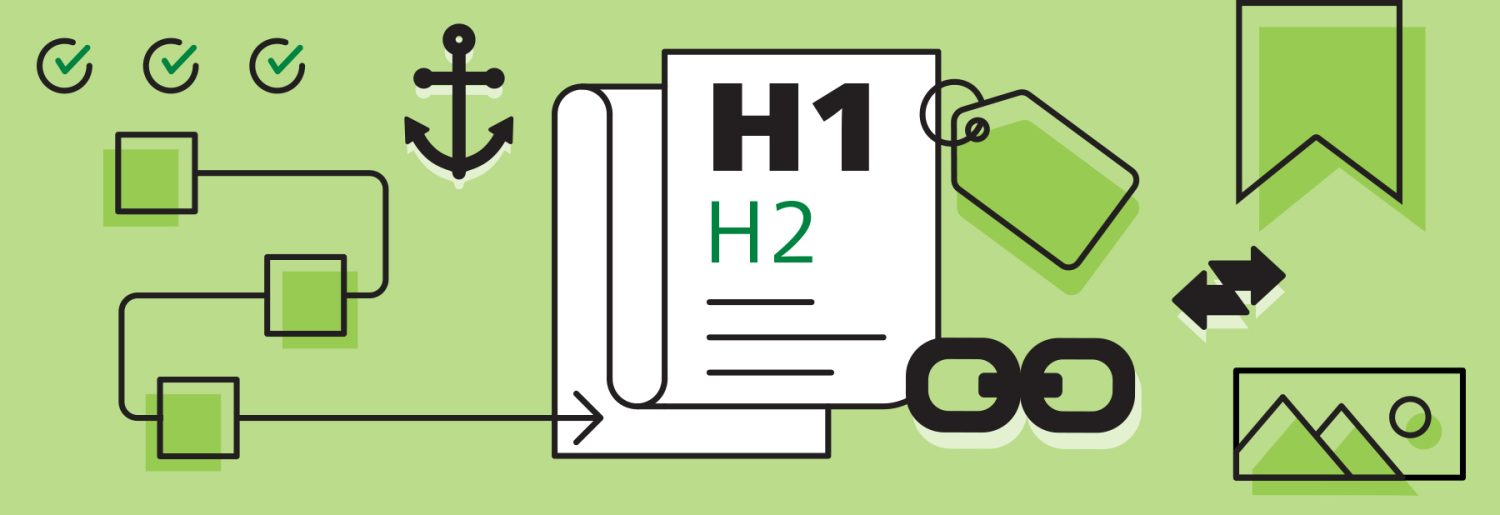
Accessible document design requires specialized knowledge and should be considered from the outset. Decisions about structure, headings, lists, links, tables, images, and reading order all affect how well the finished document will work with assistive technology.
Once the content and design are approved, the PDF is tagged so screen readers can recognize and navigate elements such as headings, paragraphs, lists, tables, links, and images. The tagged file is then tested and corrected before final delivery.
Existing PDFs can also be remediated, but correcting the tag structure and reading order often requires considerable manual work. Planning for accessibility from the beginning is generally more efficient and also creates a clearer, more usable document for every reader.
What do AODA, WCAG, and PDF/UA mean?
Many organizations recognize these acronyms but are not always sure how they relate to the design and production of a publication.
AODA, the Accessibility for Ontarians with Disabilities Act, is Ontario legislation that establishes a framework for developing and enforcing accessibility standards.
WCAG, the Web Content Accessibility Guidelines, is an internationally recognized framework for making websites, applications, and other digital content more accessible. It focuses broadly on areas such as headings, links, colour contrast, images, navigation, and compatibility with assistive technologies, and its principles are also applied to digital documents.
PDF/UA is the international accessibility standard specifically for PDF files. It focuses on how the underlying structure of a PDF identifies headings, paragraphs, lists, tables, links, images, and reading order so assistive technologies can interpret and navigate the document correctly.
Together, AODA legislation, WCAG framework, and PDF/UA standards guide the design, preparation, and testing of accessible long-form documents.
For a closer look at the technical production process, read our article, How we design and produce AODA-compliant reports.
Planning and managing the details
Long-form document design requires planning. Decisions about structure, accessibility, translation, approvals, deadlines and final formats are considered at the start.
Version control and quality assurance are especially important when a long document involves several contributors and rounds of review. We establish a clear process for collecting revisions and tracking approved content so conflicting comments, missed changes, and outdated material do not find their way back into the publication.
As we work through a long document, we often identify minor inconsistencies in wording, terminology, numbering, or recurring content that may be difficult to notice within the original manuscript. Producing a French or bilingual version can reveal additional discrepancies between the two languages. We flag these issues for the client so they can be resolved before final production.
Complex information deserves clear communication
Long-form publications often represent months—or even years—of work. They deserve more than an attractive layout. They need a thoughtful design system that helps people find information, understand it, and use it with confidence.
Developing that system involves understanding the content and planning how the publication will function, navigate, support accessibility, and serve the organization over time.
When subject-matter experts, communications teams, designers, accessibility specialists, and production partners work from the same foundation, the result is a publication that not only looks professional but communicates clearly, navigates easily, and continues to serve the organization over time.
Planning a long-form report, publication, manual, or accessible PDF?
Visit our page Long-form report design & accessible PDFs to learn more about our services or contact Neglia Design to discuss how we can help structure, design, and produce it.
 Neglia Design at 40: Celebrating Creative Thinking and Design
  Long documents require more than good design
  Designing with intention: the story behind our logo
  How we design and produce accessible, PDF/UA-compliant reports